
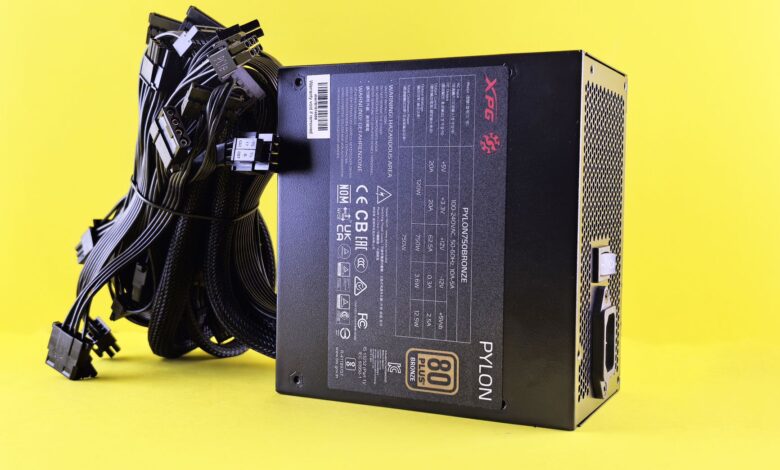
A PSU tester helps determine if a power supply can power up and if the selected outputs fall within the acceptable voltages during minimal loads (idle). It is a valid response to a valid question, but a more limited answer than most purchasers expect.
The gap exists because the problems that prompted you to buy the tester — the unexpected shutdown during play or the machine that fails to boot on a chilly morning — are usually located on the “other side” of that boundary. Knowing where the boundary is located will transform an inexpensive tool that could potentially provide false hope into a legitimate first step in troubleshooting.
What does a PC PSU tester actually test?
The PCPSU tester powers the supply and displays DC rail voltages and a Power Good status on a small LCD display. It verifies that DC outputs exist and that the DC outputs are within +/- 5% of rated voltage at a minimum load. As such, it does NOT provide current measurements and does NOT create nearly the same loading conditions that your computer creates.
For comparison, past readings from PassMark’s Inline PSU Tester Model PM123 (document edition 1.4, 23 January 2020) state that at least for standalone mode the PM123 operates at a test load of ~1W per rail and will terminate the test after ~1 min, only providing voltages with no current measurement whatsoever. This is the level of measurement for bench testing and all bench setting measurements: grams… not kilograms! PassMark’s documentation
Within that scale, a power supply tester for pc use genuinely earns your confidence on four things:
- Rail presence and approximate voltage. Whether +12V, +5V, +3.3V and +5VSB are there at all, and whether they land inside their windows at near-zero load.
- A power-good indication. Whether the supply asserts its ready handshake, and — on testers that display it numerically — roughly how long it takes.
- Connector-level faults. A dead or miswired connector shows up immediately, but only on connectors your particular tester has sockets for.
- Basic power-on behavior. Whether the unit starts, stays on for the duration of the check, and shuts down cleanly.
You should compare the above with what constitutes a complete evaluation. For a full evaluation, LTT Labs’ published methodology consists of gradually increasing loads in increments of ten percent while assessing the stability of the output voltage (at rated load) including “bursts” to two hundred percent of rated load, determining the efficiencies at ambient temperature of 0, 20, and 40 degrees Celsius, removing the AC input to determine hold-up time, and increasing the current on each rail until over-current protection activates. To do this, you’ll need to use programmable AC and DC power sources, as well as an oscilloscope, and environmental test chamber to replicate actual operating conditions.
This list includes many tests and evaluations relative to a particular product that are not to be considered a proper basis of measurement for a portable tester. The tests above represent the “missing” areas of evaluation that your portable tester will not provide. Therefore, your portable tester is not necessarily better or worse than the “formal” test equipment; rather, it simply addresses a different area of concern.
A bench tester establishes that the supply works. It cannot establish that the supply works well enough.
How to use a PC PSU tester and record repeatable readings
As a general rule of thumb, an individual reading is an anecdote. The majority of testers purchased by individuals typically provide no value, not because they are misused, but rather because after evaluating the reading of the display, individuals simply throw away the reading or do not save it for comparison when the problem occurs again next week.
Use only the cables included with the power supply you purchased. PassMark specifically states this in their manuals, and Seasonic’s warranty specifically states that using third-party cables “could affect the functionality and or safety of the power supply.” In addition, because modular cables do not interchange between various models and manufacturers even if the plugs fit, if the pin configuration does not match, damage could occur to additional components.
- Shut the computer down and switch the power supply off at its own rear switch.
- Unplug the AC cord from the wall outlet, then wait a few moments before handling anything.
- Disconnect the supply’s cables from the motherboard, drives, graphics card and every other component.
- Set the supply somewhere stable with clear airflow, and leave the housing closed.
- Connect the 24-pin cable to the tester’s 24-pin socket, following the procedure in Corsair’s support article.
- Connect the 8-pin (4+4) CPU cable, plus any other connectors your tester provides sockets for.
- Reconnect the AC cord to a standard 115 VAC, 60 Hz outlet and switch the supply on. The tester’s display should light and show numeric readouts.
- Record every figure, switch off, and repeat — three runs, with the supply fully powered down between each.
The absolute minimum for reliable results in using your apparatus is three repetitions of the same run(s). As such, only performing one repetition can be characterized as being a “clean” running condition (no anomalies), and one run that has an anomaly is considered to provide “noise” that does not determine reliability due to lack of meaningful measurement data points (clean to noisy). Thus three consistent repeated measurements form a valid measurement set. If three repeated measurements results have shown this same value drift over at least one of your assessment rail(s), this means you can demonstrate a consistent drift pattern, and therefore take action as needed. When creating any logs of your results, make sure that the log will be available for you to refer back to later, at least for a month from when you create these logs, as comparing each set of results allows you to assess the validity of your results based on your current assessment specifications and compare the current test results against the same tests that you’ll conduct in the future.
- Run number and timestamp
- Room temperature, since a cold supply and a warm one are not the same test
- Each rail’s displayed value, written out rather than summarized as “fine”
- The power-good figure, exactly as shown
- Which connectors were attached for that run
- Anything unusual — fan noise, clicking, a reading that settled slowly
Repeatability is the whole product here: an unrepeated reading cannot distinguish a failing rail from a loose connector.
How to read PSU tester voltage and PG results
Your display indicates two different categories of data which are not meant to be combined. Rail figures are the voltages that the power supply produces. Power-good indicates a control signal from the power supply to the motherboard indicating if it was operationally ready and how long it took to do so.
According to Intel’s ATX Version 3 Multi Rail Desktop Platform Power Supply Design Guide (document 336521, revision 2.1a, dated November 2023) the PWR_OK signal is a required signal, and has its own set of behaviours which are independent of the DC output voltage or currents that the power supply is capable of providing to the load. Corsair’s published documentation states that they consider the duration of time in which a power-good signal exists to be approximately 100 – 500 msec. The timing of this duration is specific to Corsair and can differ between manufacturers; thus it is important to understand whose duration you are using as a reference, since it is possible for a tester that is designed and constructed based on one set of assumptions to indicate that a perfectly compliant power supply is non-compliant if that tester is not consistent with another manufacturer’s timing standard.
For this reason you will not find any single figure printed on this label that you can use to compare. The revision number of your power supply can be found on the label on the power supply unit itself and the only valid comparison that can be made with this label is to that of the manufacturer’s published figure for that particular revision number, so it is very important to check both numbers before determining a compliance status.
| Reading on the display | What it supports | What it does not establish | Next step |
|---|---|---|---|
| +12V inside its window | The rail is present and regulated at near-zero load | Anything about behavior under load or at temperature | Log it and continue |
| +5V or +3.3V inside its window | Secondary rails are present and regulated | That they hold up when the machine draws real current | Log it and continue |
| +5VSB inside its window | Standby power works, so the board can wake | That the main rails behave once the supply starts | Log it and continue |
| −12V absent, or a rail your unit doesn’t have | Nothing — many modern supplies omit this rail | A fault of any kind | Confirm against the spec sheet for your exact model |
| PG figure inside your unit’s stated window | The handshake was asserted in the expected time at this load | That timing holds under real startup conditions | Log it and continue |
| PG figure outside your unit’s stated window | A question about timing, or about the tester’s built-in assumption | A verdict on the supply | Check the revision on the label, then contact support |
Voltages and the power-good figure fail in different ways and mean different things — read them as two separate results, never as one verdict.
Why a passing PC PSU tester can still miss a PSU fault
Even after conducting three separate, uncontested runs of the machine, it still reboots during gameplay. This isn’t something that test personnel would fabricate; rather, it’s a response to a question about an idle supply that isn’t influencing anything and a computer request that constantly changes.
The clock should be the first item to consider because, as with all electrical devices, it is not always given an actual numeric value. On the specifications for processors as provided by Intel, there are two distinct ratings for the electrical current drawn by the processor: continuous current and peak current. The continuous current is defined by Intel as the electrical current sustained for a period of time greater than one second and peak current is defined by the electrical current drawn at the processor’s PL4 limit for a maximum of ten milliseconds. If you have a 150 watt (W) CPU, the specification provides you with a continuous current rating of 33 amps (A) and a peak current rating of 60 A, as recommended by the guide’s own recommendation table. The supply must give both of these values to your system as your tester will report settled values.
The gap between cards is likewise going to be getting larger. Seasonic’s product development organization describes transient power excursions as the duration of the load peak occurring at a load peak “from microsecond to millisecond.” At the same time, the ATX 3.0 & 3.1 guidelines require certain high-power supplies to be able to support 200% of the rated output (to a maximum of approximately 200%) for 100 microseconds, 180% for 1 millisecond, 160%, for 10 milliseconds and 120%, for 100 milliseconds. Seasonic clarifies this by stating that the timescale aspect of these specifications are a requirement for the power supply and not an indicator that the power supply can handle output spikes from graphics cards.
An event that lasts 100µs cannot be represented by a single number; a number is only a snapshot in time. An event that lasts 100µs requires a “movie” rather than a “photo”.
Heat is the second missing factor and it also has a reverse effect (i.e., not too little but rather too much heat). You have a supply on your desk that is cold right now and there is a stand-alone tester with a well-instrumented approach to testing that will shut off the test after about 60 seconds. Using the published methodology from Cybenetics, they recommend an evaluation of supplies at an ambient temperature of more than 30 degrees C. Before starting any measurements, they warm the unit to approximately 80 watts for 15-20 minutes and then carry out over 1450 different load configurations for a course of several hours. This is not a test theatre. Components change characteristics as they get hotter; therefore, a fault that may happen 40 minutes into a testing session will not have been captured during a cold check that lasted only 60 seconds.
Furthermore, a bench reading will not provide you with any information regarding over-voltage, short-circuit, overload or overheating (as these are covered under another section of the same design specification). Each one of these is based upon the actions of the supply when it encounters a failure. However, no failure occurs at 1 Watt / Rail. As pointed out by Seasonic, you will need to keep the distinction clear that each one of these protective measures activates at their own levels of performance and do not indicate how a given unit performs during transient conditions, therefore, when you have a power supply that trips during gaming or fails a load test, there are fundamentally two different issues.
You can perceive just how wide the gap is between real measurements and the costs associated with making real measurements. LTT Labs also acknowledges their limits as well, as they only test one unit per model (and that single sample must have to undergo very stringent testing with an environmental chamber, programmable power source, and oscilloscope to get a complete picture of the model’s characteristics).
The communities have been discussing this for a while now — without the mechanism attached. On r/buildapc, one poster has described the failure mode in great detail: “When testers show what a supply can put out with no real load, technically no meaningful load, you can ‘soft fail’ by not maintaining voltage under load while at the same time providing a good voltage reading on a tester.” A poster on BleepingComputer’s hardware forum states that the voltage check “won’t uncover any actual problems until there’s a catastrophic failure” unless one monitors the power supply when it is operating. They are both absolutely correct, and now you will understand why they are right.
A clean bench reading rules out gross faults at roughly a watt per rail and a cold start — it says nothing about microsecond transients, forty-minute thermal drift, or protection behavior, because none of those exist during the test.
What to do when the PC still fails after a PSU tester pass
Although the readings from your machine may be clean, the machine still keeps restarting. So now you have both the machine’s log and the persistent symptom of restarting. Your goal is to convert these two types of information into your next action, not into additional guesswork.
Before you begin to investigate any of the branches described in the next section of this article, you must remember the following: if you smell anything burning, observe any discoloration, scorching or bulging; if you feel heat coming off of the machine housing; or if you hear anything arcing or popping, immediately disconnect and turn off the unit at the wall — do not retest it or reinstall it; and do not open the machine. The act of opening the case is not treated as a diagnostic step in this article, and it will never become one: it is where the risk of stored-energy is present and it is also the surest way to lose access to the corrective action that you will eventually need. Each manufacturer’s warranty policy, including Seasonic’s warranty policy, stipulates that coverage under their warranty depends on the cover of the unit remaining intact with no signs of tampering or damage to the warranty stickers on the cover.
Please be sure to locate and follow the appropriate branch of the instructions in your log corresponding with your observations.
- A rail reads nothing, or reads outside your unit’s stated window, on more than one run. Treat the unit as suspect and stop testing it. Keep the log and your proof of purchase together, then go to the seller first — Seasonic’s policy, again as one example, asks customers to consult their regional retailer, the troubleshooting guide and technical support before opening an RMA, and requires the product to be returned to the point of purchase, postage prepaid.
- Rails all sit inside their windows, but the power-good figure is outside the window your unit’s documentation states. Do not condemn the supply on that field alone. Re-read the specification revision printed on your unit’s own label and compare it against that manufacturer’s published timing figure for that revision, then contact their support with both the label revision and your logged value. A power-good figure that disagrees with a tester’s built-in assumption is a question, not a verdict.
- The display shows a value for a rail your unit does not provide, or shows nothing for one it does. This is a configuration mismatch between tester and supply, not a fault. Confirm against the manufacturer’s specification sheet for your exact model which rails the unit actually carries, and disregard the orphaned field entirely.
- Every reading is normal and repeatable, and the machine still fails. The tester has given you everything it can, and continuing to run it will not produce a different answer. Change what you are testing, not how many times you test it.
The third branch on the left is where most readers will land, and it has the most detail. There are three different paths to take here, but you only need to take one! The best option is to replace the power supply with a good power supply that is properly installed, using the cables that come with the new supply. This is the best option because you will only change one thing, and everything else is the same, therefore making it easier for you to troubleshoot. The downside to this is that the majority of people will not have a spare power supply laying around, as evidenced by the Overclock.net thread on this subject, where someone asks if they can get a different power supply to troubleshoot with, and the person responding has no spare and nobody to borrow from. If you cannot get access to a spare power supply, many computer shops will perform a diagnostic test on a computer that is brought in to them and they will have the equipment to perform that test on. If the power supply is still under warranty, the manufacturer’s support line can also be a good option for getting the power supply replaced or repaired, however, the terms of coverage for the power supply vary from manufacturer to manufacturer, as well as by region and model. To ensure you get the proper coverage, make sure you read the power supply’s warranty policy in regards to your particular power supply instead of assuming the coverage will be the same for all models.
This does not mean that you should automatically assume that the power supply is working correctly. A PSU tester that returns good, consistent readings does not provide you with enough information to determine that the power supply does not have any issues. It gives you some certainty that it doesn’t have a particular type of issue, but you’ll need to test the power supply under the same conditions as the machine that was failing to verify that you have a working power supply.
A clean pass with continuing symptoms means unresolved, not healthy — the correct next move is to change the test, not to repeat it.
Where most buyers go wrong
The actual mistake lies not in failing to obtain a low-cost tester but choosing to terminate your search based solely on the green indication received from the tester. You should view the results produced by the tester as one aggregate of information, because they confirm your suspicions of possible connector-level malfunctions and other large-scale rail failures, but they do not give you any information relating to how the power supply will behave under long-term load, heat, and microsecond-scale excursions, which can shut down a computer mid-session. If you’re going to order a replacement power supply without first checking whether an accredited laboratory has already tested your specific unit to give you an indication of how your supply will perform at its rated load, you could spend an enormous amount of time and money on this process without getting any useful information that can help you decide. Cybenetics publishes a free public power-supply database, where you can search for your particular model to obtain the results from the accredited laboratory’s testing that conforms to ISO/IEC 17025. You get that information without incurring any expenses. There is significant value in that information because it provides you with something your tester cannot provide.
Frequently Asked Questions
Is the paperclip jump-start test the same as using a PSU tester?
When using the jumper method, you connect the power-on line of your 24-pin ATX connector to ground. This will allow your power supply to turn on and spin its fan even though the power supply is not connected to a motherboard. While SilverStone’s published procedure can tell you that if the fan is spinning, “the supply is most likely functional,” they do not provide any information about voltages, power good timing or anything that you could use to verify or duplicate your results. In addition, Corsair provides explicit warnings regarding this method, indicating that if you connect the wrong pins, it can cause serious injury and damage to your power supply.
Does a PSU tester check the cables that power my graphics card?
If your particular tester has sockets that accept those connectors, many testers do not provide that option. Connector coverage is dependent on the capabilities offered by the particular unit, as there are many models of testers and a tester that has only a 24 pin socket can only report information on that 24 pin socket. For builders, this creates lost time as a user on r/PCSleeving had to search for a cable fault that didn’t actually exist due to the fact that the tester did not support PCIe 6+2. Always review the documented connector list in your tester manual (for example, PassMark’s user guide explicitly states what connectors it tests) so that you do not make an assumption based on a connector that was never tested by that tester.
Does a PSU tester measure ripple?
Basic standalone testers will not measure ripple and noise, as they are purely AC disturbances superimposed on top of the DC rail. The Intel design guide specifies limits for the output ripple/noise. Therefore, the output ripple noise must be documented separately from the settled voltage. PassMark states that its standalone mode will report the voltage but will not measure current at approximately 1W per rail. Therefore, the only way to properly measure ripple is with both an oscilloscope and a good load, making it strictly laboratory equipment, not desktop equipment.
